Diagnostic Information System

One system for the whole centre.

Registration to report. Every branch, every role, one browser.

Scroll to follow a patient
01Scope

Front desk to final report.

Registration, billing, radiology, pathology, imaging and delivery. One web application.

0Role-based logins, each with its own screens
0Radiology report templates
0Ready pathology panels
0Dictation languages
0Steps, registration to delivery
02Register

The front desk, in one screen.

Find the patient, add services, take payment. Nothing typed twice.
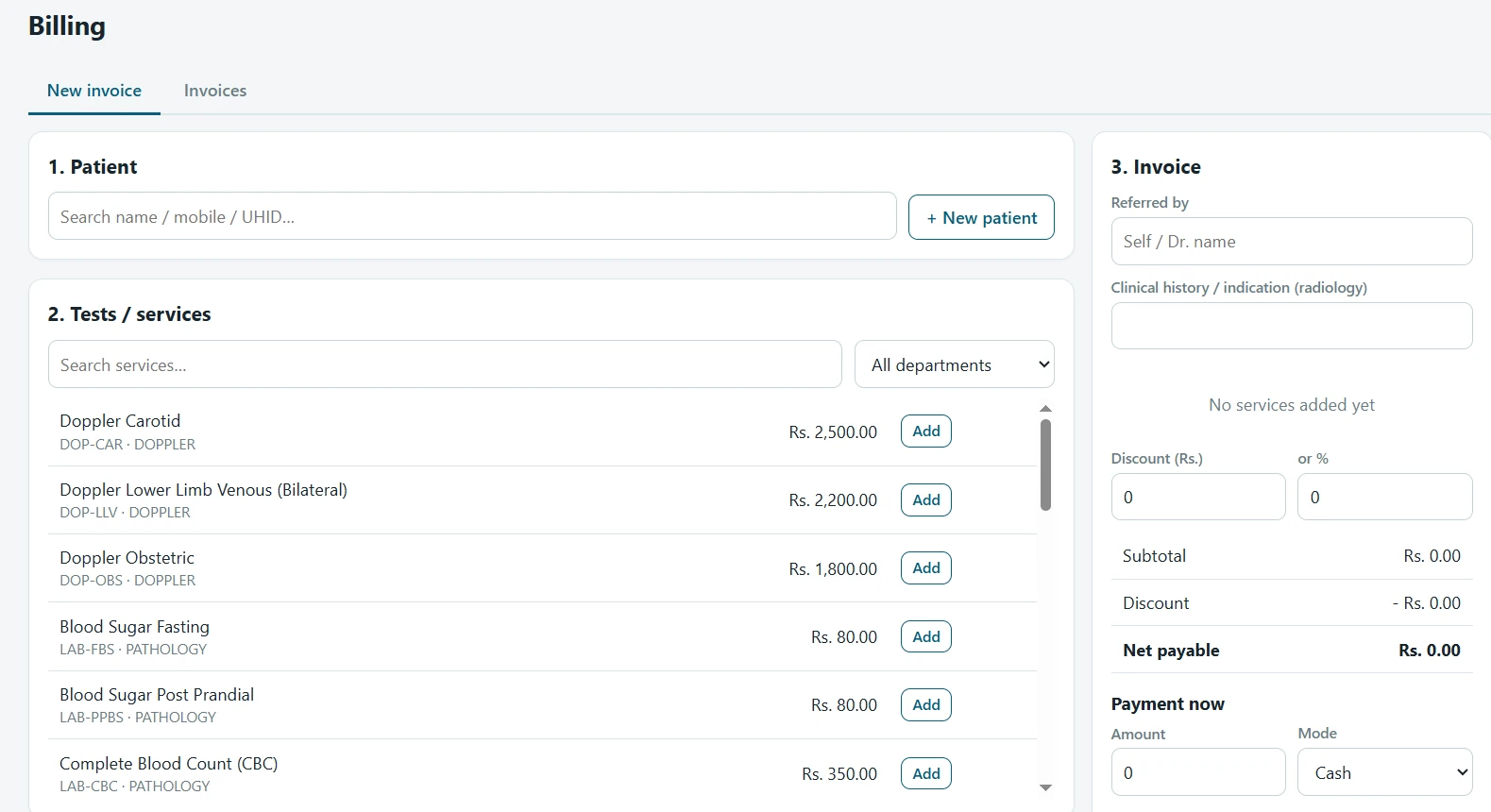
  • UHID for every patient, with duplicate check on name and mobile
  • Discounts by amount or percentage
  • Part payments by cash, UPI, card or TPA, with dues tracked
  • Receipts and invoices as PDF
New invoice screen: patient search, service catalogue with prices, discount, net payable and payment mode

New invoice. Patient, services, payment.

03Report

Dictate. Draft. Check. Sign.

The radiologist signs every report. AI never does.
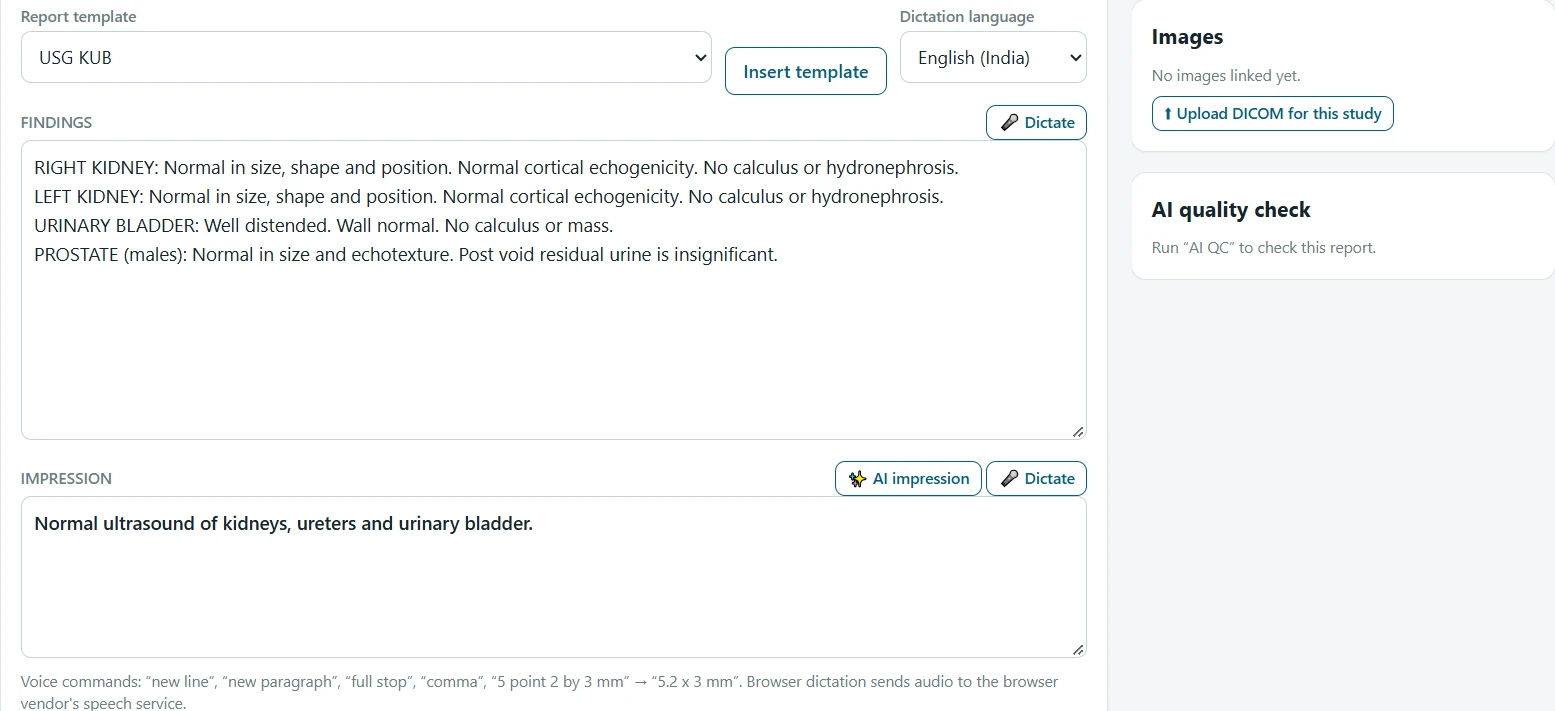
  • Templates for USG, Doppler and X-ray
  • Dictation in English, Hindi and Marathi
  • AI impression drafted from the findings
  • QC catches laterality errors, missing sizes and blanks before signing
Radiology report editor with template, dictation language, findings, impression, AI impression and AI quality check

Report editor. Template, dictation, AI impression, quality check.

04Validate

Flags while you type.

The technician enters. The pathologist releases.
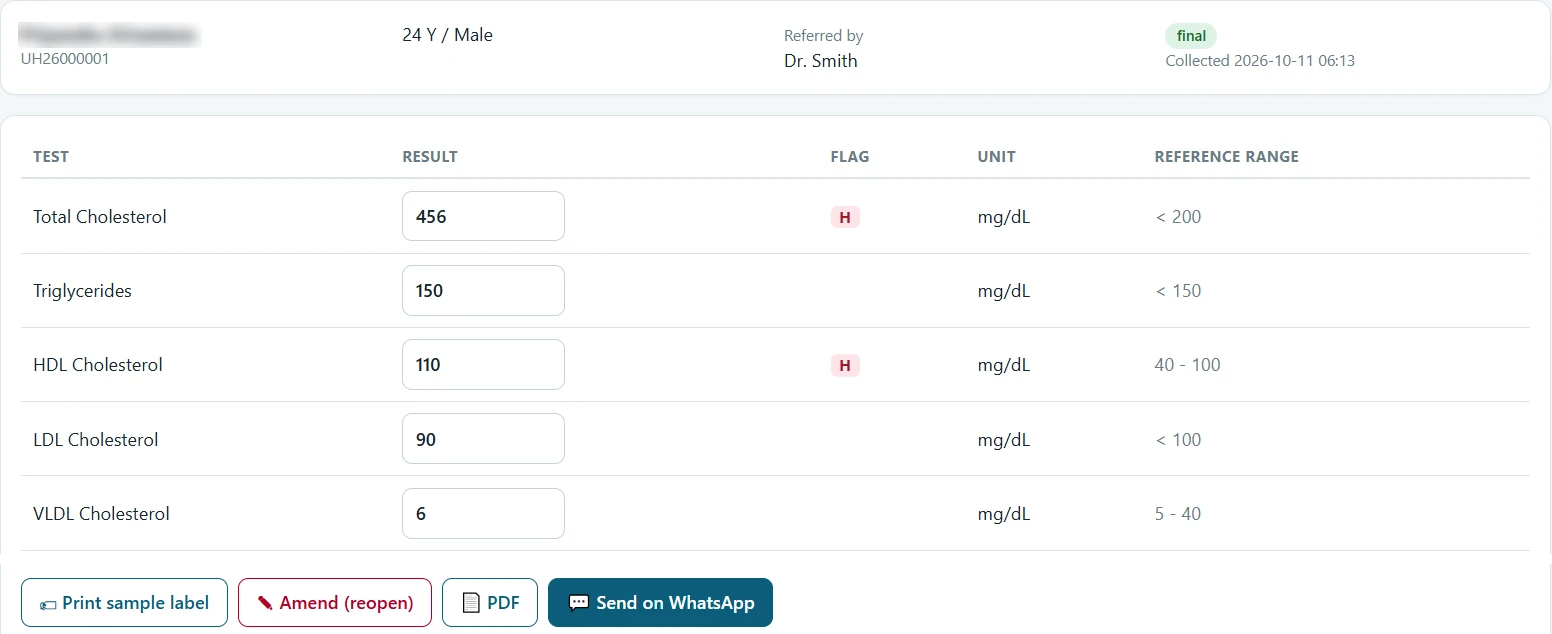
  • High, Low, Critical against sex-specific ranges
  • Eleven panels: CBC, LFT, KFT, lipid, FBS, PPBS, HbA1c, thyroid, vitamin D, B12, urine
  • Barcode labels for every sample
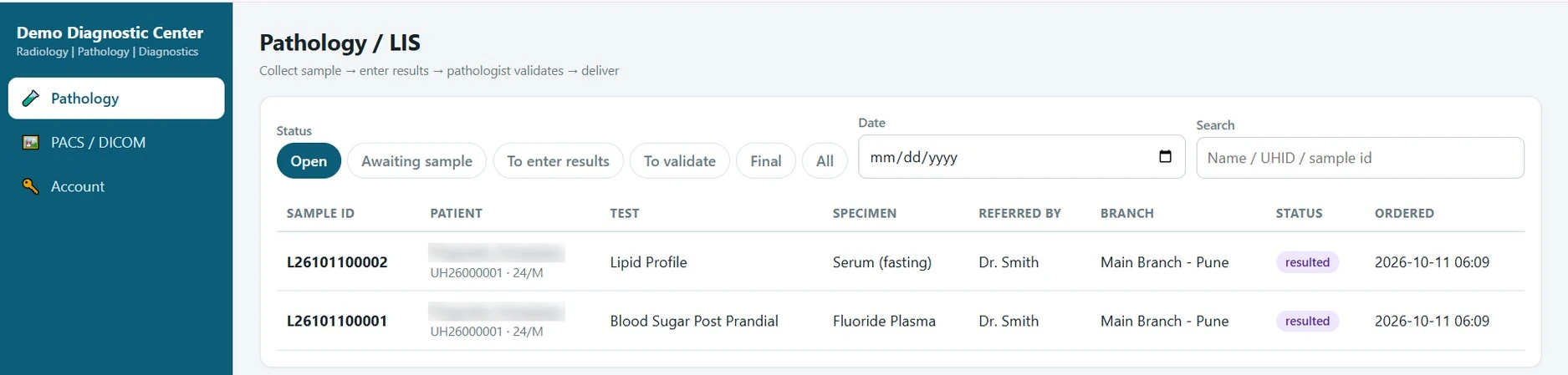
Validated lipid profile with High flags against reference ranges and actions to print label, amend, open PDF and send on WhatsApp Pathology worklist with status filters

Result entry and the lab worklist.

05Image

Images arrive. They match. They open.

A DICOM receiver and viewer, built in. No separate PACS to buy.
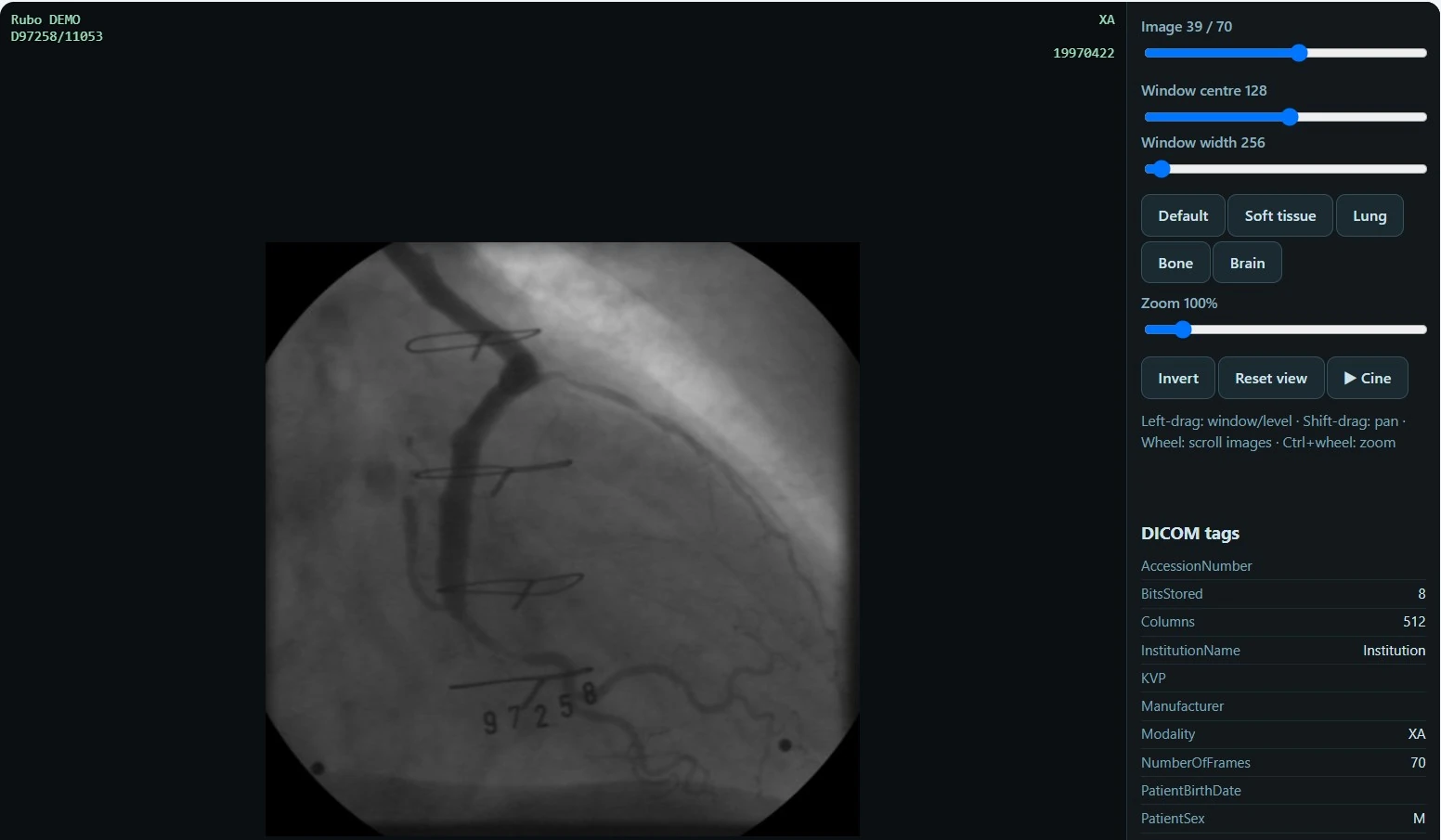
DICOM C-STOREAE title DIS_PACSPort 11112Match by UHID or accession
Browser DICOM viewer with image slider, window and level, presets, zoom, invert, cine and DICOM tags

Viewer in the browser. Presets, cine, tags.

06Deliver

Reports reach the patient.

On WhatsApp, locked to their mobile number. Kept in their portal.
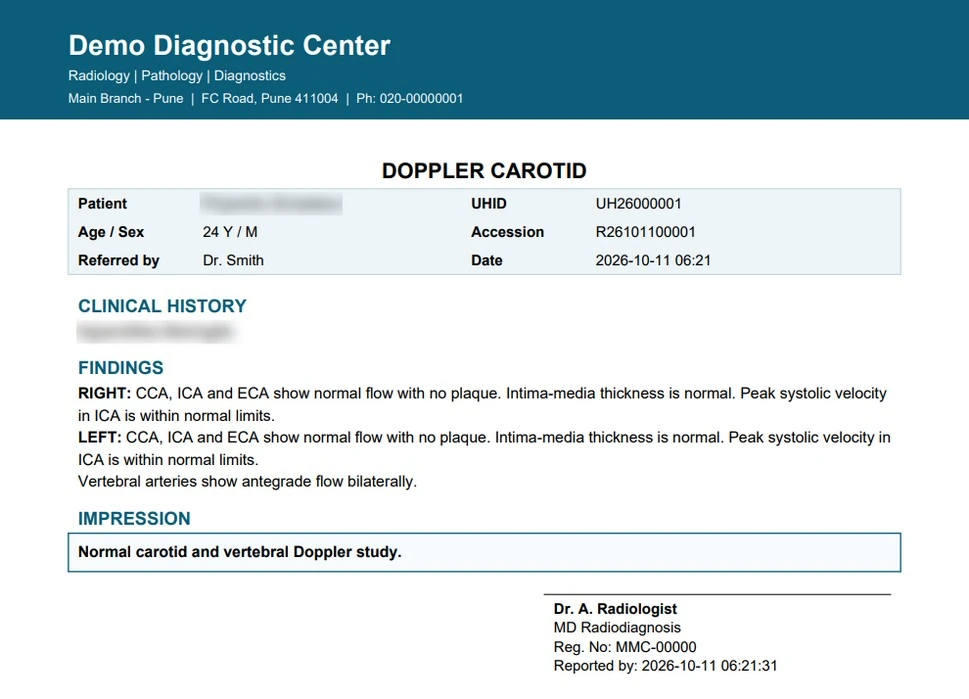
  • Signed PDF with letterhead, signature and QR verification
  • Doctor portal for referred cases only
  • Hold until paid, if the centre chooses
Signed Doppler carotid report PDF

Signed report

Letterhead, signature, QR

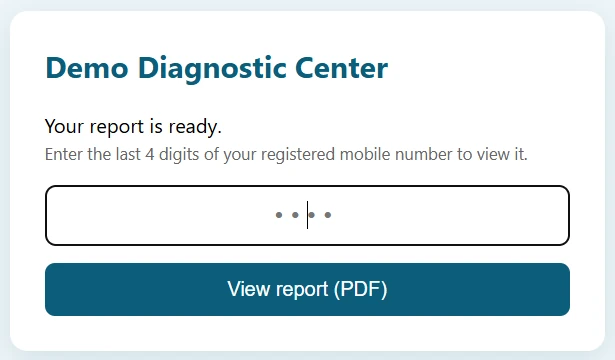
Secure link asking for the last four digits of the registered mobile

Secure link

Last four digits of the mobile

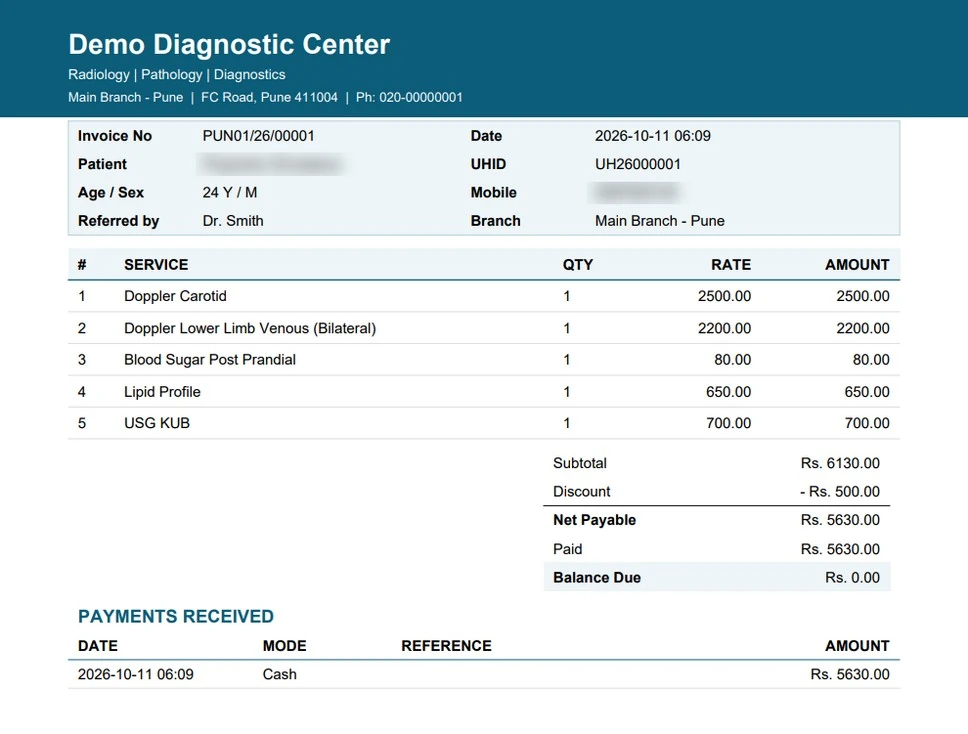
Invoice and receipt PDF

Invoice

Itemised, with balance due

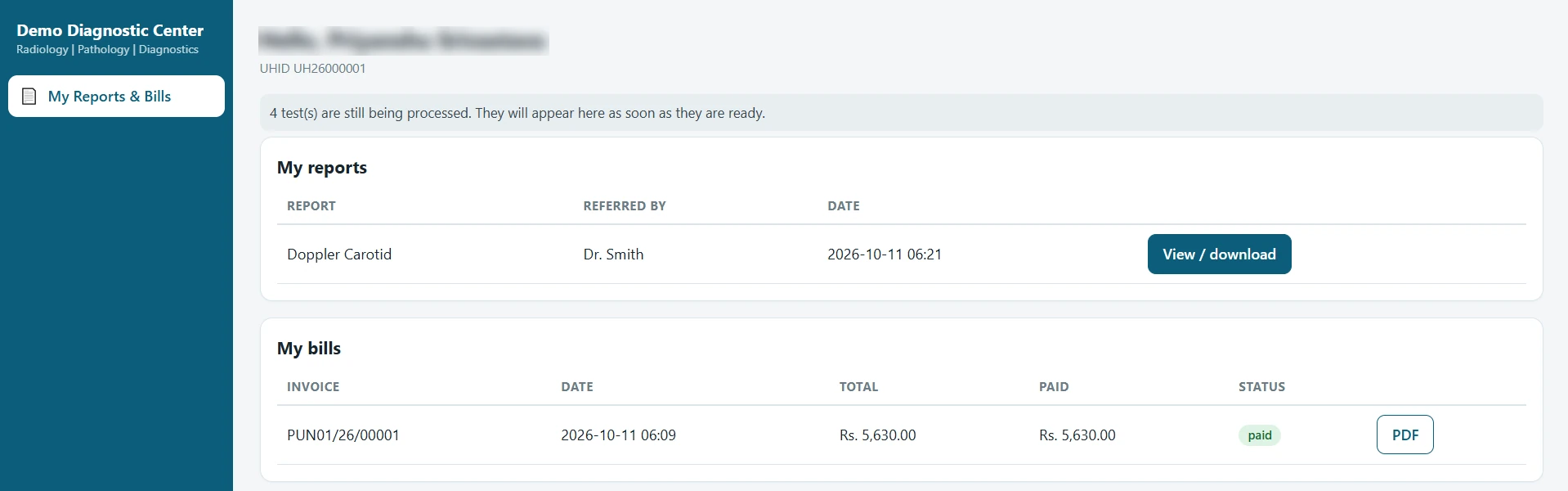
Patient portal with reports and bills

Patient portal

Own reports and bills

07Oversee

Every branch. One view.

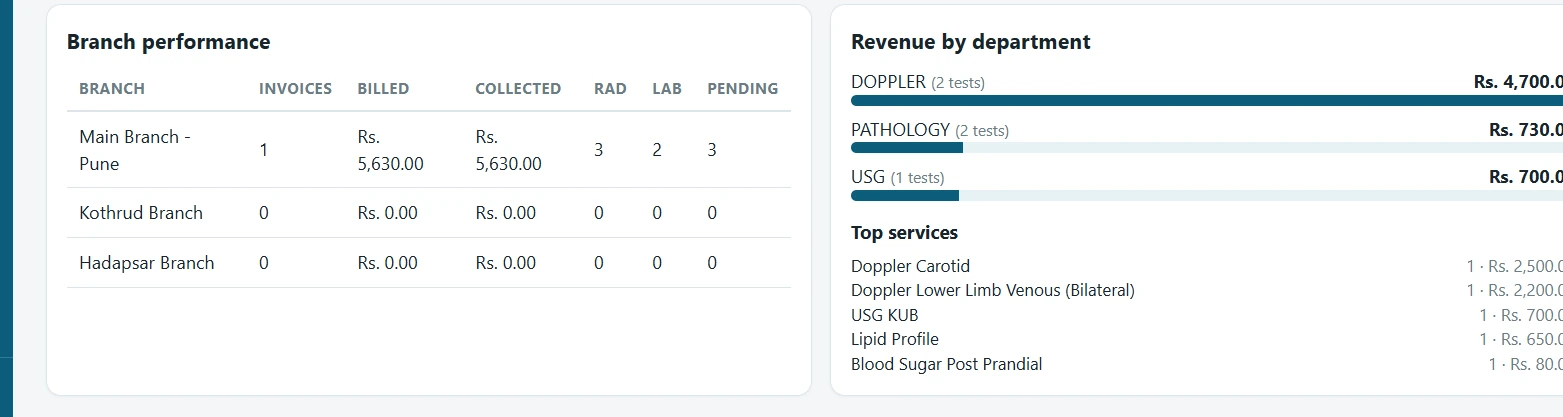
Billed, collected, dues and turnaround. All branches or one.
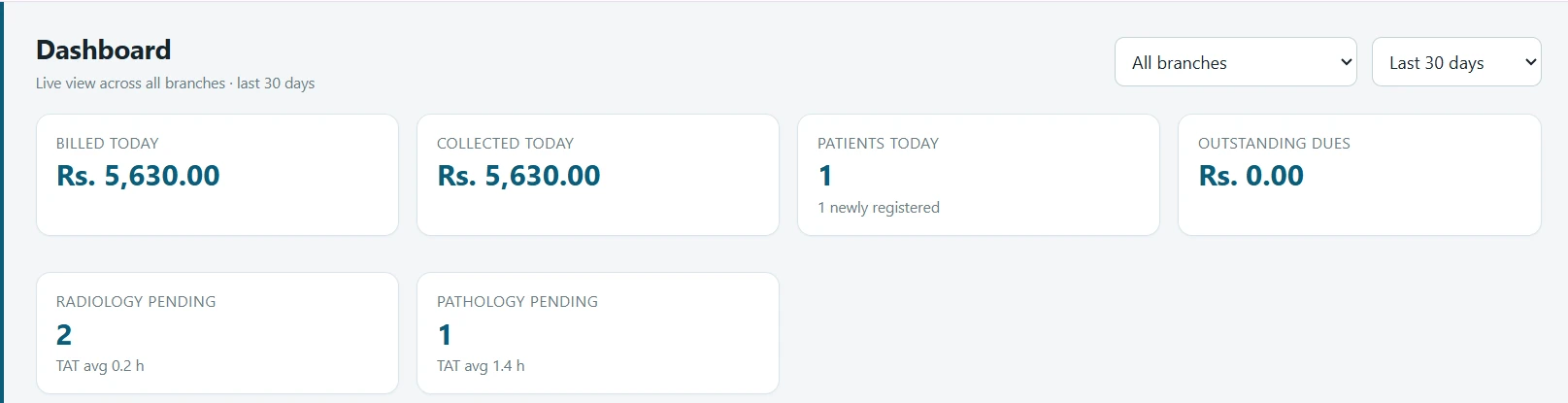
Dashboard tiles for billed, collected, patients, outstanding dues and pending work Branch performance and revenue by department

Management dashboard.

08Control

Seven logins. Each sees its own work.

Checked on the server, not just hidden on screen. Every sign-off and override is logged.

Administrator

Users, prices, branches, audit trail

All branches

Reception

Registration, billing, collection, hand-over

Own branch

Radiologist

Reports with dictation, AI draft and QC

All branches

Pathologist

Validates and releases lab reports

All branches

Lab Technician

Samples, result entry, image upload

Own branch

Referring Doctor

Reports and images for own referrals

Referred cases

Patient

Own reports and bills

Own records
09Fit

Set it up your way.

Branding, branches, prices, templates and policies from the admin screens. No code.

  • On request: white-label, custom report formats, workflow changes, MIS reports, data migration

Billing

GST invoicingInsurance / TPA claimsCorporate accountsReferral trackingOnline payments

Integration

HL7 / FHIRDICOMwebLab analysersSMS / email

Security & compliance

Patient OTP2FA / SSOPC-PNDT Form F

Scale & operations

PostgreSQL HAOn-prem speechCT / MRI templatesHome collectionPatient appInventory
10Deploy

Your servers or ours.

  1. Discovery call: branches, modalities, services
  2. Configure branding, users, prices, templates
  3. Migrate records and train each role
  4. Go live with our team alongside

Technical specifications

ApplicationWeb app. Nothing to install on workstations.
BrowsersChrome or Edge. Dictation needs a microphone.
ServerWindows, Linux, macOS or Docker. HTTPS behind a reverse proxy.
DatabaseSQLite by default. PostgreSQL for larger deployments.
ImagingDICOM C-STORE receiver and HTTP store with API key.
ReportsPDF with letterhead, signature and QR verification.
DictationEnglish (India, US, UK), Hindi, Marathi.
MessagingWhatsApp click-to-chat or Business Cloud API.

Before go-live

AIAn assistant, not a decision. Not a certified medical device.
RegulatoryCheck CDSCO guidance. Obstetric use needs PC-PNDT Form F first.
DataPatient data is sensitive under the DPDP Act 2023. Browser dictation sends audio to the browser vendor.
DefaultsReference ranges, templates and prices should be reviewed by your clinicians.

See it on your own workflow.

A live demo with your services and branches. Written quote after.